Interval Timer - FTNSS
Time. Track.
Improve.
Build timers, chain them into routines, and track your improvement. Progress is logged and measured.
iPhone · Android · Apple Watch · Garmin
Coming soon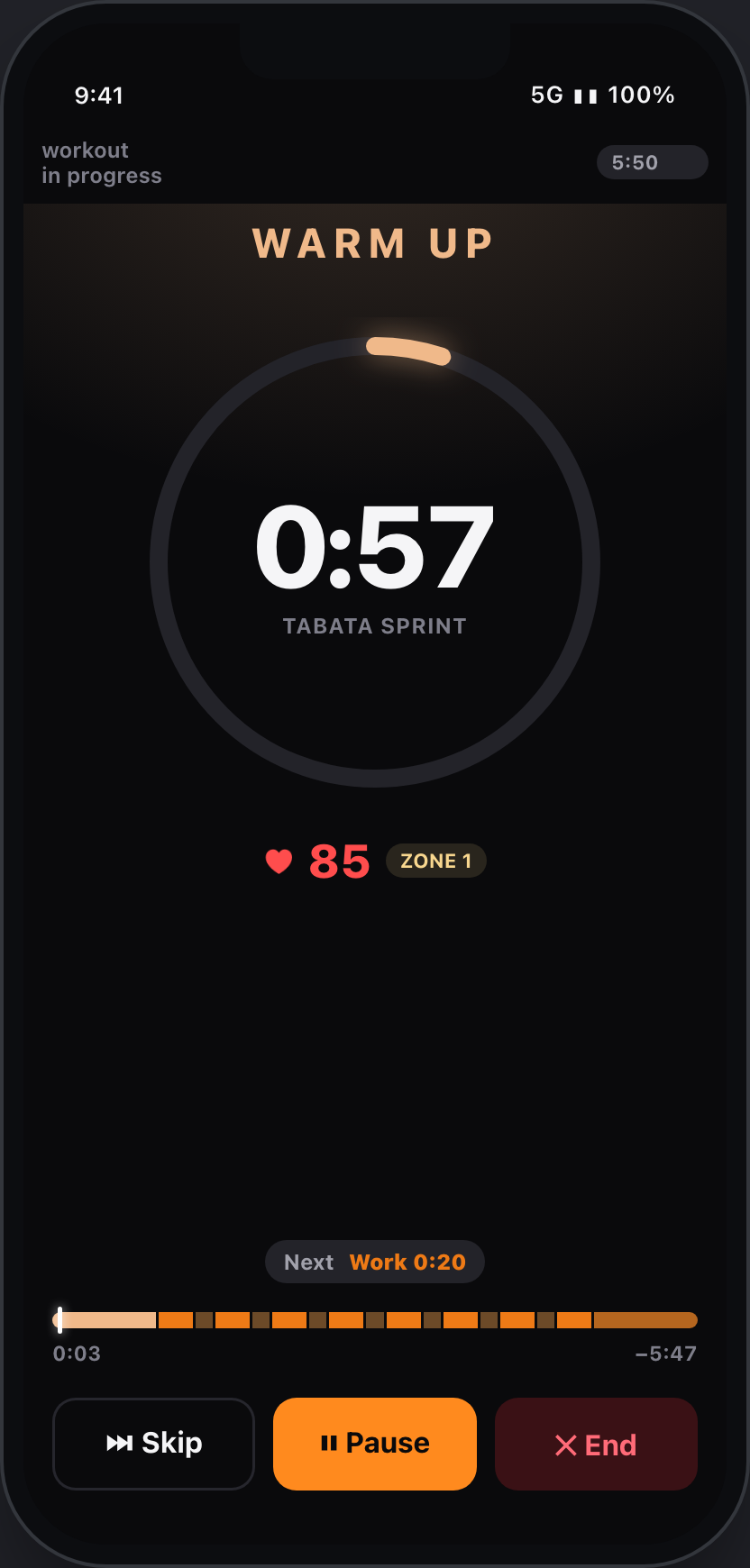
Build
Your structure.
You're in control.
Easy to set up and configure for the workouts you actually do.
7
Controls, all yours
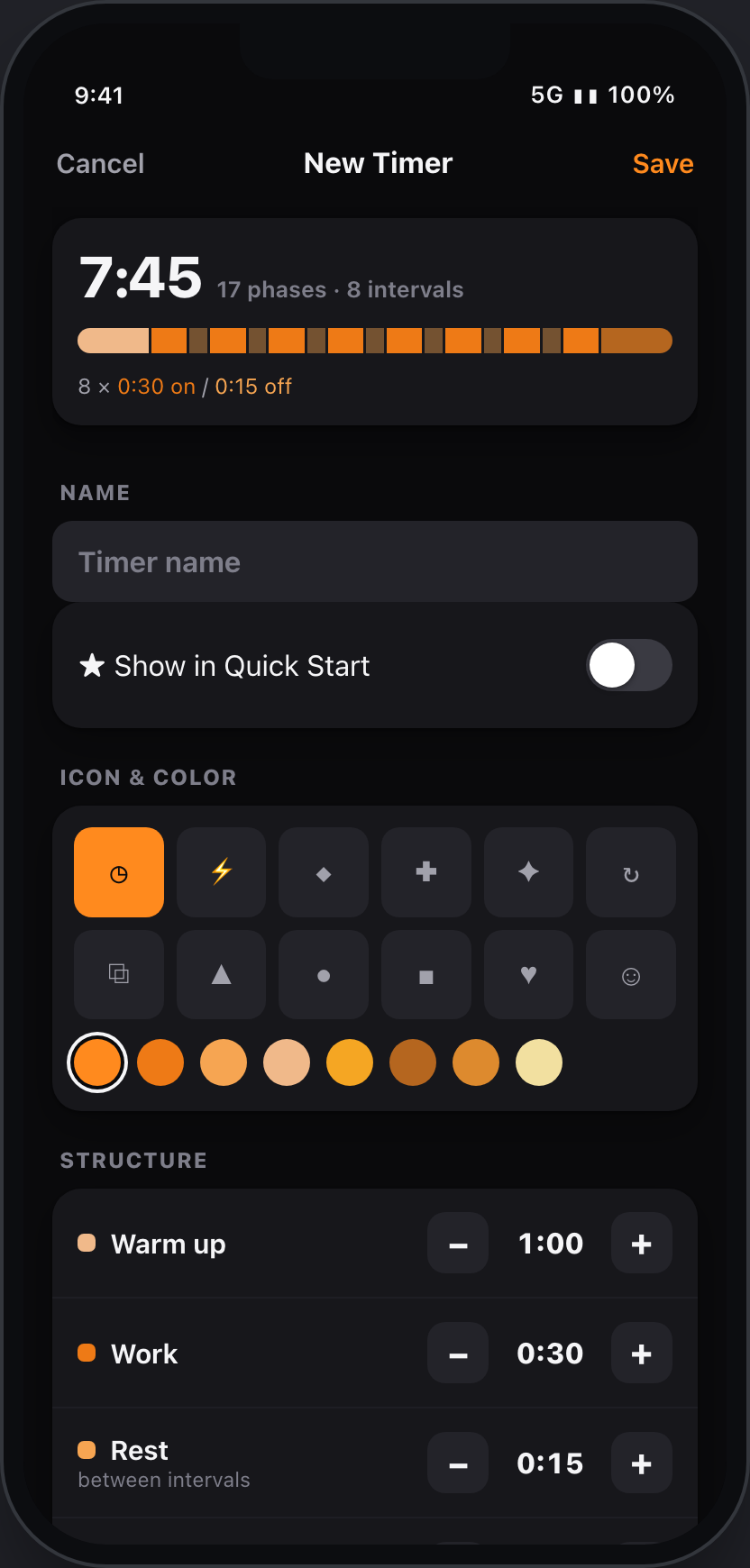
Warm up, work, rest, intervals, rounds, rest between rounds and final cool down — each on its own stepper.
0
Skips any phase
Set a phase to zero and it disappears. Rest is the break between intervals and drops after a round's last one; the rest between rounds drops after the final round.
7:45
Live preview
17 phases · 8 intervals. The total and the full sequence redraw as you build — before you ever hit start.
1
Tap to start
Name the timer, keep it in your library, and it's one tap away next week. In a hurry? A Quick timer runs without saving — the workout still logs.
Routines
Chain timers into one workout.
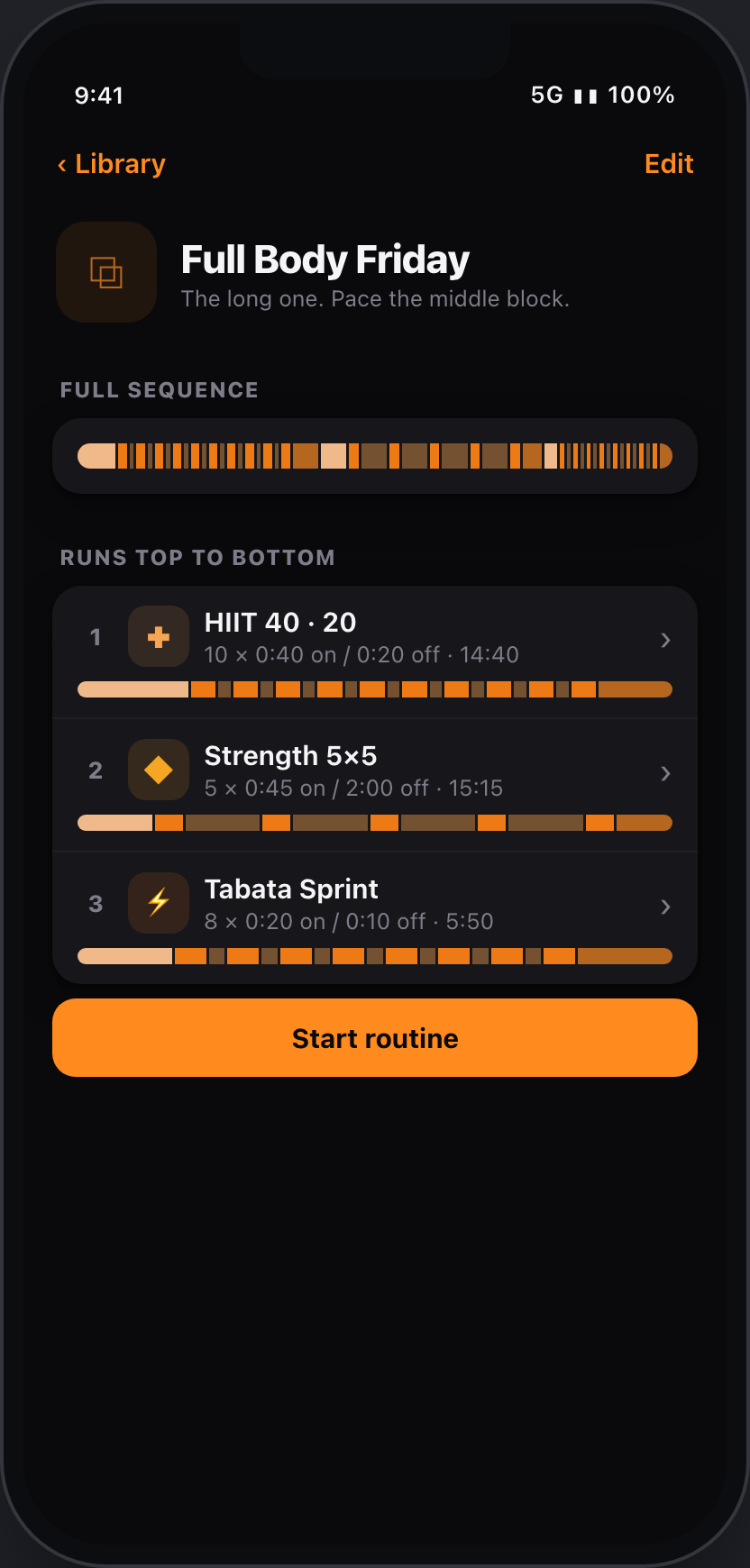
A real session is rarely one block. Compose timers and activities into a routine and Interval Timer - FTNSS runs them back-to-back.
- Timers and activities together. Put a warm-up timer in front of a GPS run, or bolt a Tabata finisher onto strength — one session, one tap.
- See the whole shape. The full sequence renders as a single bar before you start, and the steps run top to bottom.
- Nothing is lost. Every run lands in your history with the device that recorded it and your heart rate.
Heart rate
Not one number.
Every one.
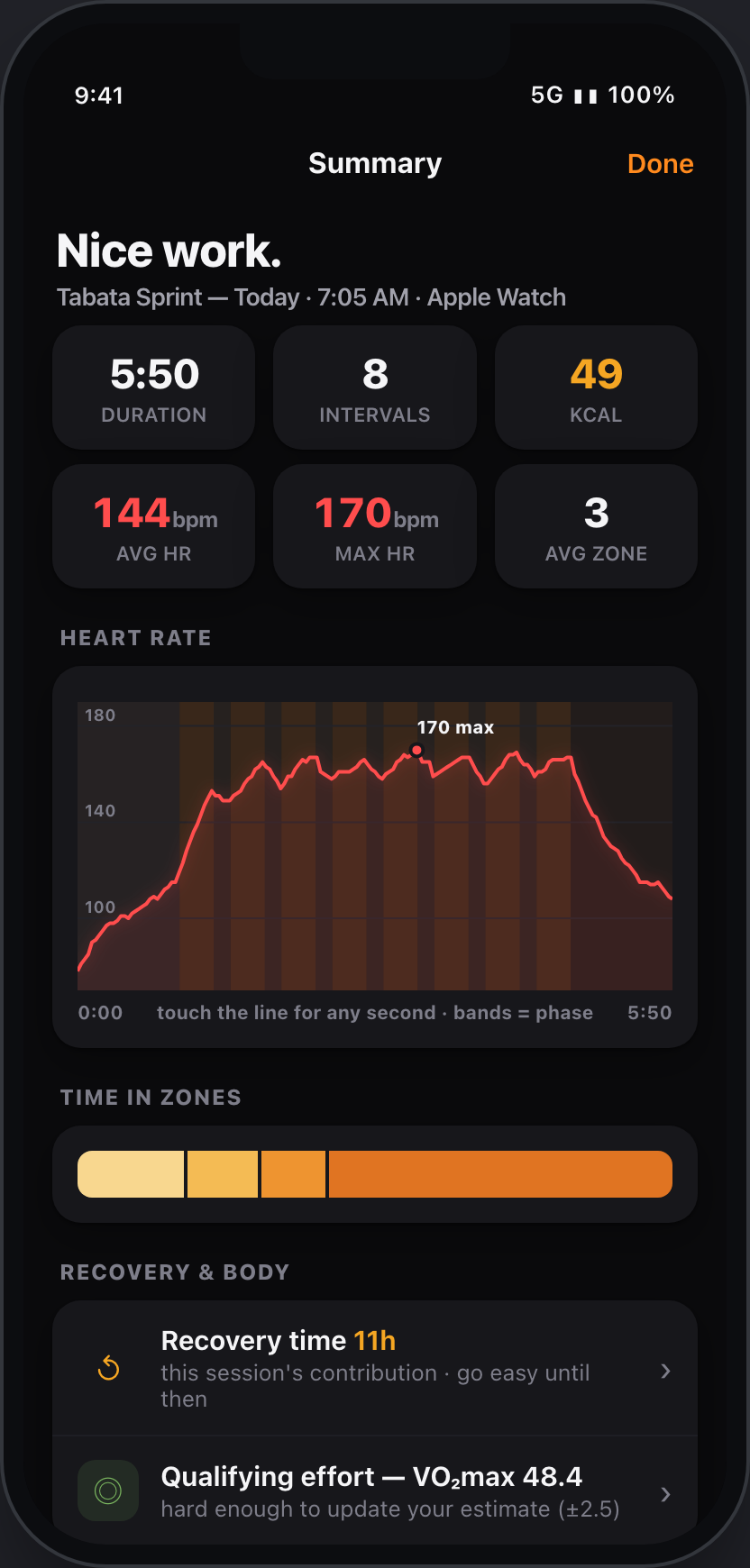
Most apps give you a workout average and call it a day. Interval Timer - FTNSS records heart rate against every phase — so you can see what the work cost, and how fast you came back.
Banded by phase
The heart-rate trace is shaded by what you were doing — warm up, work, rest and cooldown each in its own colour.
Time in zones
Where the session actually lived — plus average and max heart rate, and your average zone.
Every interval, on the record
Each work bout keeps its own average and max heart rate — the detail behind the average.
Heart-rate recovery
How fast your heart rate drops in the 60 seconds after you finish — a simple read on your fitness.
On your wrist
The watch is
the instrument.
Leave the phone in your bag. The phase, the countdown, the round, your live heart rate. Nothing else competing for the glance.
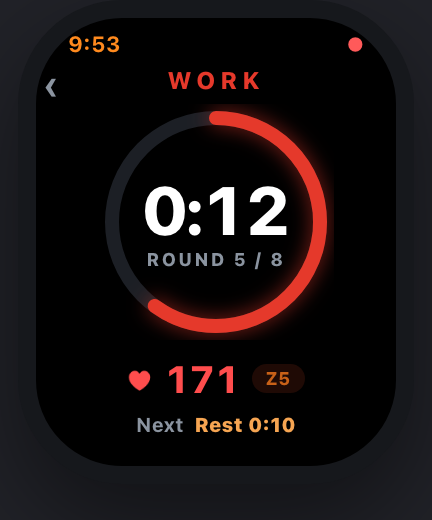
Every phase has a colour. Red is reserved for the things that are live.
Improve
See yourself
get better.
Every finished session feeds your streak, your load and your readiness — so "same workout, felt easier" shows up in black and white.
Readiness, every morning
A daily verdict from overnight HRV, sleep, resting heart rate and training load — alongside your recovery time and an honest VO₂max estimate, uncertainty shown not hidden.
Timers that grow with you
Mark a timer adaptive and every completed run adds five seconds of work — progressive overload, automatic. End early and nothing moves.
Fitness, fatigue, form
Every run earns a zone-weighted load score. Long-term fitness builds against short-term fatigue — form is the difference, and it tells you when to push.
Streaks and a weekly goal
A calendar of your active days, your current and longest streak, and weekly minutes to defend.
Your data
Take it anywhere.
No account. No walled garden. Every session leaves in a format the rest of your world already understands.
.FIT export
Every activity, as a standard file. Share it anywhere that reads them.
Apple Health
iPhone runs and guided HRV readings, saved where your rings live.
Garmin Connect
Runs from the Connect IQ companion save natively.
Strava · soon
Straight into the training log you already keep. Landing after launch — until then, the .FIT export uploads to Strava directly.
Coming soon.
Interval Timer - FTNSS is in final development, launching on the App Store and Google Play. Want to know the moment it lands? Email us.